Learn about the GrabCAD Platform
Get to know GrabCAD as an open software platform for Additive Manufacturing
Visit our new homepage
Home
Control
Shop
Streamline Pro
Partner Program
Print
Community
Log in
Library
Challenges
Groups
Questions
Tutorials
Engineers
Blog
Log in
Learn from thousands of free Tutorials.
New user?
Join the community
or
log in.
Tutorials
Most liked all time
Recent
Most liked
Most viewed
Most commented
This week
This month
All time
Category
Design & CAD
Modeling
Drafting
Assemblies
BOM
Dimensioning / Tolerancing
Translations
Manufacturing & CAM
3D Printing
Tooling
NC Machining
Composites
Measurement / Inspection
Simulation & CAE
FEM
CFD
Kinematics
Process Simulation
Engineering Fundamentals
Theory
Process
Standards
Other
Software
Snagit
Alibre Design
ArchiCAD
AutoCAD
AutoCAD Electrical
Autodesk 3ds Max
Autodesk Alias
Autodesk Inventor
Autodesk Maya
Autodesk Revit
Autodesk 123D
BricsCAD
Bentley MicroStation
BlenderCAD
BobCAD-CAM
CATIA
Delmia
DraftSight
FreeCAD
Femap
Fusion 360
Geomagic Design
IronCAD
JT
Kompas-3D
KeyCreator
KeyShot
Lagoa
Luxology
Mastercam
Moi3D
NX Unigraphics
OBJ
Onshape
OpenSCAD
Parasolid
Powermill
Powershape
Pro/Engineer Wildfire
PTC Creo Parametric
PTC Creo Elements
Rhino
SpaceClaim
SOLIDWORKS
solidThinking Evolve
Solid Edge
SolidFace
STEP / IGES
SketchUp
STL
TopSolid
TinkerCAD
T-Flex CAD
TurboCAD
VectorWorks
ViaCAD 3D
VRML / WRL
ZW3D
GrabCAD Print
Rendering
GrabCAD Community
GrabCAD Workbench
Text file
3D Manufacturing Format
Cinema 4D
Other
Skill level
All levels
Beginner
Intermediate
Expert
How to Create Incredibly Complex Textured Shapes for 3D Printing, Using Bump Mapping
Shuvom Ghose
in
3D Printing
37
6
Expert
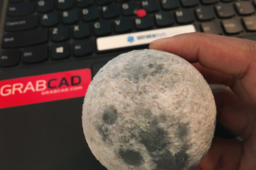
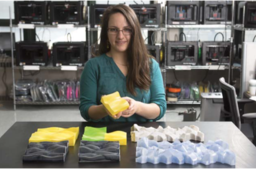
This tutorial covers how to use 2D images to create actual 3D depth and physical textures on your CAD parts and then 3D print them. Mainly we use Rhino to do the displacement-mapping, but Photoshop could be used as well. Files were then printed in full color on a Stratasys J750.
j55
polyjet
j750
rhino
stratasys
displacement
texture
bump
Designing for FDM Production Parts
Stratasys
in
3D Printing
37
0
Beginner
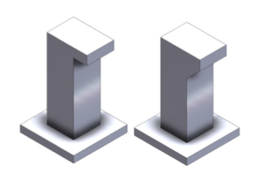
This best practices tutorial concentrates on factors that impact the quality, value, and performance of FDM production parts. There are a number of design considerations, material choices and performance objectives that should be taken into account when designing for additive manufacturing. Tailoring these decisions to the FDM manufacturing process allows the benefits of FDM to be maximized.
designing
parts
stratasys
production
fdm
How to 3D Texture Your Parts for FDM Printing Using SOLIDWORKS 2019!
Shuvom Ghose
in
3D Printing
35
7
Beginner
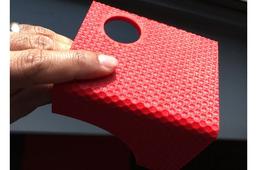
Instructions on how to create physical, repeating textures you can FEEL and TOUCH on your 3D prints, using a new feature found in SOLIDWORKS 2019. (And this technique will work with ANY type of 3D printer, not just Stratasys!)
texture
fdm
displacement
bump
stratasys
solidworks
PolyJet 3D Printing: How to Assign Colors in GrabCAD Print
Stratasys
in
3D Printing
34
3
Beginner
When you import a part into GrabCAD Print and you have color options, it'll default to white. This tutorial teaches you how to apply colors using the improved PolyJet panel and Pantone™ Color Library selection tool. This tutorial is great for users with the Stratasys J55, J8 Series and other PolyJet printers.
j55
3dprinting
grabcadprint
grabcad
stratasys
polyjet
pantone
How to Color Proof Your 3D Prints (Using This Super-Secret Stratasys Website)
Shuvom Ghose
in
3D Printing
33
6
Beginner
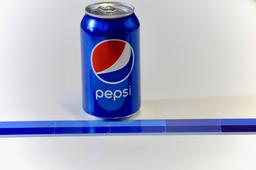
If a customer has ever come to you and said, "I need the color of this 3D print to match this RGB or Pantone EXACTLY!" and you've wondered how to do that – this is the tutorial for you! We'll talk about soft proofing (how to make sure your printer can even print a given color) and hard proofing (matching what you see on screen with a physical result) using Photoshop and the most advanced color printer on the market, a Stratasys J750! (You can find a video version of this tutorial here: https://youtu.be/XsollrDbUVc)
j55
polyjet
rgb
proofing
color
stratasys
photoshop
j750
How to 3D Print in Full Color (Part 1)
Shuvom Ghose
in
3D Printing
32
7
Beginner
This is a series of tutorials to help printer operators who are NOT graphic artists get the absolute most out of their multi-color, multi-material 3D printers, like the Stratasys J750. We will cover what types of files multi-color printers can accept and how to manipulate colors in Photoshop, Rhino, etc, to get the full gradient texture effects that most color printer users want.
j55
texture
stratasys
printing
color
vrml
j750
polyjet
How to Use the Stratasys AR App for the J55 3D Printer
Stratasys
in
3D Printing
28
3
Beginner
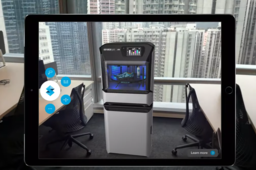
Stratasys unveiled the new J55 full-color 3D printer last month. We wanted to give designers and industry professionals a chance to see it for yourself -- wherever you are -- by offering this augmented reality experience.
virtual
apps
polyjet
printers
j55
printing
3d
stratasys
How to 3D Print in Full Color (Part 2): Repairing and Checking VRMLs
Shuvom Ghose
in
3D Printing
27
4
Intermediate
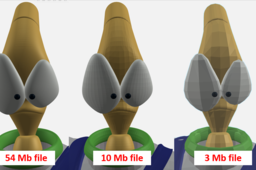
This is the second in a series of tutorials to help printer operators who are NOT graphic artists get the absolute most out of their multi-color, multi-material 3D printers, like the Stratasys J750. We will cover how to look deeper inside our VRML files to predict if they will import correctly and how to choose the resolution of VRML files from Rhino and other artistic CAD programs to make sure they are capturing the information you want.
j55
polyjet
rhino
zbrush
uv
color
j750
vrml
Fused Deposition Modeling (FDM) Design Guidelines
Stratasys
in
3D Printing
26
0
Beginner
This tutorial is designed to give you a foundation of what to consider when designing and printing a part for Fused Deposition Modeling (FDM). FDM is an additive manufacturing technology that extrudes thin layers of thermoplastic layer by layer until a part is completed. FDM produces robust production parts in engineer-grade thermoplastic, with the added benefits of speed and design freedom possible with 3D printing. The cutting-edge technology is utilized across industries like aerospace, energy and transportation for production components.
sdm
3dprinting
stratasys
guidelines
design
modeling
fdm
How to 3D Print in Full Color (Part 3): Clear + Texture Together
Shuvom Ghose
in
3D Printing
24
5
Expert
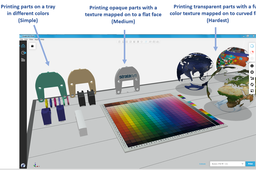
This is the third in a series of tutorials to help printer operators who are NOT graphic artists get the absolute most out of their multi-color, multi-material 3D printers, like the Stratasys J750. We will cover how to create models with semi-transparent textures wrapped around curved, transparent bodies (taking advantage of a new slicer from Stratasys), and how to fix UV-mapping problems when wrapping 2D textures around 3D bodies goes wrong.
series
j8
j55
photoshop
maya
uv
polyjet
vrml
j750
Best Practices for Working in KeyShot & GrabCAD Print
Stratasys
in
3D Printing
22
1
Expert
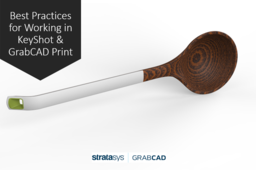
KeyShot 3D rendering software from Luxion Inc now seamlessly integrates with GrabCAD Print for a smooth and quick export of 3MF files. This new workflow allows designers to easily export 3MF files (that maintain color and texture data) from KeyShot into GrabCAD Print. In this tutorial guide, we’ll discuss best practices for when you’re working with KeyShot and GrabCAD Print.
renders
design
printing
3d
print
grabcad
keyshot
Finishing Options for FDM and PolyJet 3D Printed Parts
Stratasys
in
3D Printing
22
1
Beginner
Finishing or secondary operations encompasses a broad range of processes that change a manufactured part’s properties. Engineers can employ finishing simply to improve part’s appearance and reshape it to meet certain dimensions, or use it to enhance functionality, such as increasing strength, chemical resistance, electrical conductivity and more. Secondary operations basically turn raw parts into finished goods and this isn’t limited to traditional manufactured parts. 3D printed parts can also be enhanced with secondary operations, but much like designing for additive manufacturing, different processes and best practices apply. Throughout the product design and manufacturing process, engineers should also be thinking about how 3D printed parts can be finished. Determining the appropriate finishing operations depends on the additive process, material and geometry as well as the desired aesthetics and functionality. This guide explains the primary finishing operations additive manufacturing service providers implement for FDM and PolyJet 3D printing technologies, grouped by possible finishing objectives, and compatible materials and applicable design considerations.
blasting
sanding
smoothing
stratasys
3dprinting
polyjet
finishing
fdm
Helpful Injection Molding Design Guidelines
Stratasys
in
3D Printing
22
3
Intermediate
These guidelines are to be used as a starting point in understanding the basic aspects of design and preparation for injection molding.
stratasys
guidelines
3dprinting
molded
injection
How to Create Texturing Patterns on FDM 3D Printed Parts
Stratasys
in
3D Printing
16
0
Beginner
When producing FDM parts that will be installed in user-facing applications, or when FDM prototypes need to have a more interesting appearance, surface profile and finish are critical. Texturing a part file allows for a unique pattern or design to be built directly into part surfaces, reducing the layer line visibility as well as post-processing time. Coatings and paint can be applied directly to the textured surface to create a finished part.
3-matic
insight
grabcadprint
stratasys
fdm
patters
texturing
How to 3D Print from Adobe Photoshop
Stratasys
in
Modeling
16
1
Intermediate
Every sculpture, product, installation and building (successful and unsuccessful) starts with an idea. When it takes physical form, the designer gets valuable aesthetic and practical feedback. Here are some tips on when and how 3D printing can feed this process.
Other
polyjet
cad
stratasys
graphics
designing
3dprinting
photoshop
1
2
3
…
9