Learn about the GrabCAD Platform
Get to know GrabCAD as an open software platform for Additive Manufacturing
Visit our new homepage
Home
Control
Shop
Streamline Pro
Partner Program
Print
Community
Log in
Library
Challenges
Groups
Questions
Tutorials
Engineers
Blog
Log in
Learn from thousands of free Tutorials.
New user?
Join the community
or
log in.
Tutorials
Most liked all time
Recent
Most liked
Most viewed
Most commented
This week
This month
All time
Category
Design & CAD
Modeling
Drafting
Assemblies
BOM
Dimensioning / Tolerancing
Translations
Manufacturing & CAM
3D Printing
Tooling
NC Machining
Composites
Measurement / Inspection
Simulation & CAE
FEM
CFD
Kinematics
Process Simulation
Engineering Fundamentals
Theory
Process
Standards
Other
Software
Snagit
Alibre Design
ArchiCAD
AutoCAD
AutoCAD Electrical
Autodesk 3ds Max
Autodesk Alias
Autodesk Inventor
Autodesk Maya
Autodesk Revit
Autodesk 123D
BricsCAD
Bentley MicroStation
BlenderCAD
BobCAD-CAM
CATIA
Delmia
DraftSight
FreeCAD
Femap
Fusion 360
Geomagic Design
IronCAD
JT
Kompas-3D
KeyCreator
KeyShot
Lagoa
Luxology
Mastercam
Moi3D
NX Unigraphics
OBJ
Onshape
OpenSCAD
Parasolid
Powermill
Powershape
Pro/Engineer Wildfire
PTC Creo Parametric
PTC Creo Elements
Rhino
SpaceClaim
SOLIDWORKS
solidThinking Evolve
Solid Edge
SolidFace
STEP / IGES
SketchUp
STL
TopSolid
TinkerCAD
T-Flex CAD
TurboCAD
VectorWorks
ViaCAD 3D
VRML / WRL
ZW3D
GrabCAD Print
Rendering
GrabCAD Community
GrabCAD Workbench
Text file
3D Manufacturing Format
Cinema 4D
Other
Skill level
All levels
Beginner
Intermediate
Expert
3dexperience
×
[VIDEO] Topology Optimization on a Bracket
Maxime Chagnot
in
Modeling
9
3
Beginner
Hello Everyone, This new video is an introduction to Topology Optimization on the 3DExperience Release 19x. Functional Generative Design application brings the best of CATIA (design) and SIMULIA (topology optimization) in order for you to create light and robust parts. This video will show you the entire topology optimization process on a aluminium bracket that can handle 500N (50kg). You will see how to create a design space and add the functional regions. Then you will create a mesh, add loads and constraints and run a structural simulation. After that you will setup the topology optimization parameters and run the job. The result will be a lighter version of the part. you can run another simulation to validate the result. The organic geometry will be automatically generated. This result can be used for 3D Printed. However if you do not have a 3D Printer, it is also possible to generate a prismatic solid based on machining rules. Hope you will enjoy this video! Find the 3D Model on this GrabCad link: https://grabcad.com/library/topology-optimization-brackets-1 Please Like, Comment, Share and Subscribe :D
CATIA
manufacturing
reduction
weight
3dexperience
optimization
topology
simulia
catia
Reverse Engineering: Power Fit
Maxime Chagnot
in
Modeling
8
0
Intermediate
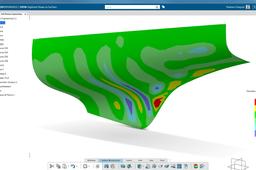
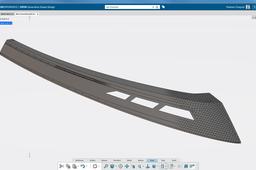
This video shows you how to transform a cloud mesh (based on a "STL" file) into a proper surface. It is a reverse engineering topic where you have a hull that you cannot work on. With the dedicated Digitized Shape applications, you can transform this mesh into a surface using the PowerFit feature. You will obtain a surface that is very near from the original mesh, with a maximal deviation of 0.972 mm.
CATIA
hull
3dexperience
fit
power
engineering
reverse
catia
Flexible Pipes between 2 Parts CATIA
Maxime Chagnot
in
Modeling
7
1
Beginner
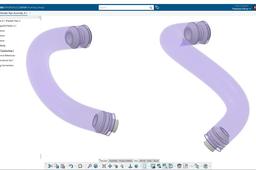
https://youtu.be/OlRkCLi2Jj4 Hello CATIA 3DExperience Fans, Here is my last tutorial Design Fast #4 edition! I will learn you how to design a pipe between 2 parts in Assembly Design. 1 part is fixed and can be manually moved. The pipe will automatically follow the new position and update the curve between the 2 parts. Do no hesitate to add comments or send me message about new topics for instance! Please subscribe and visit our website: http://www.plm-technology.com/ Use Captions and Enjoy :)
CATIA
plm
design
assembly
flexible
pipes
3dexperience
catia
Transform a Product to a Part CATIA 3DExperience
Maxime Chagnot
in
Modeling
6
1
Beginner
https://youtu.be/jFvcoBDpU8s Dear 3DExperience and CATIA Fans, A lot of my customers asked me "how can we transform a product to a part like in CATIA V5?" and the answer → Derived Representation feature in CATIA Assembly Design. In the video you can see how to transform a small assembly to a part and make a cut. You can keep the links with original parts and change parameters. Do no hesitate to add comments or send me message about new topics for instance! Please subscribe and check our website: http://www.plm-technology.com/ Use Captions and Enjoy :)
CATIA
drawing
cut
representation
derived
assembly
part
product
3dexperience
Design a Windmill Blade (very easy)
Maxime Chagnot
in
Modeling
6
0
Beginner
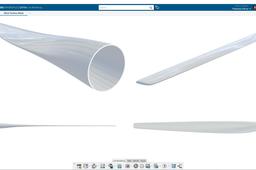
Hello all, we wanted to do a new Design Fast tutorial for replying to a follower ;) In this 7th edition of Design Fast, I will show you how to make a basic Wind Turbine Blade using Imagine & Shape, the Clay modeling application in CATIA 3DExperience R19x on Cloud. ** We want to highlight the fact that I am neither a Class-A Surface Designer or an Aeronautic Engineer. This tutorial will not show you how to design a proper blade for CFD Analysis. You should use NACA Profile generated either by Excel or Matlab. However you can redo this tutorial for learning the tool, and use the result for Rendering and presentation purpose ** Just Enjoy the video and try to redo it on your side. Please Comment and Subscribe to our PLM Technology YouTube Channel, and visit our website http://plm-technology.com
CATIA
modelling
clay
windmill
energy
shape
imagine
blade
3dexperience
wind
catia
[Tutorial]Design a SSD cover with Assembly Protected feature in CATIA 3DExperience
Maxime Chagnot
in
Modeling
6
0
Beginner
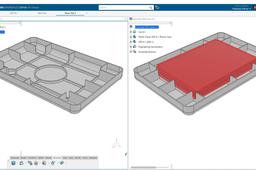
https://youtu.be/8DqwRw4tXl4 Dear CATIA Fans, Today's video is about keeping link between parts in CATIA 3DExperience R19x. The video is divided in 3 Parts: 1) First, you will make the plastic cover part using 2 different bodies (cover and ribs). You will use the union trim feature to assemble the 2 bodies and obtain a nice result ;) 2) One method to to remove the SSD from the Cover is to Copy/Paste Special "as result" the SSD body into the Cover 3DShape and remove it from the PartBody. 3) The second method to achieve this result is to use the feature Protected in Assembly Design. The result is very similar, but you also have the option for offsetting a surface around the part. Please Like, Comments, Subscribe and Share :)
CATIA
cover
plastic
offset
feature
protected
assembly
3dexperience
catia
3Dexperience xDesign basic tutorial: cube w/7 spheres
Jens Nielsen
in
Modeling
5
0
Beginner
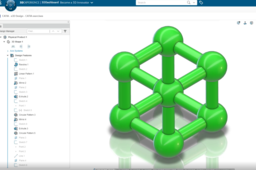
xDesign ships with the 3Dexperience platform. It allows for browser-based modeling and is easy to use. Learn basic commands in this tutorial. I published the workflow on youtube: https://youtu.be/3xeGV-IPuNU
SOLIDWORKS
xdesign
3dexperience
Exploded View in Drawing 3DExperience
Maxime Chagnot
in
Modeling
5
2
Beginner
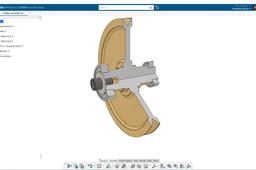
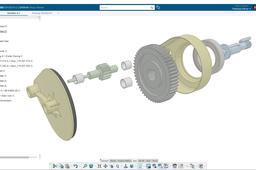
https://youtu.be/AoExK8vfslc Hello all! I made a tutorial for exploding views! In this video you will learn how to make a drawing exploded view of a gearbox assembly using markup and slide in design review app (slightly different from CATIA V5). Do no hesitate to add comments or send me message about new topics for instance! Please subscribe and visit our website: http://www.plm-technology.com/ Use Captions and Enjoy :)
CATIA
drafting
view
exploded
catia
3dexperience
Project | Robot Gripper rack and pinion mechanism in Solidworks
Amit Mourya
in
Assemblies
4
0
Beginner
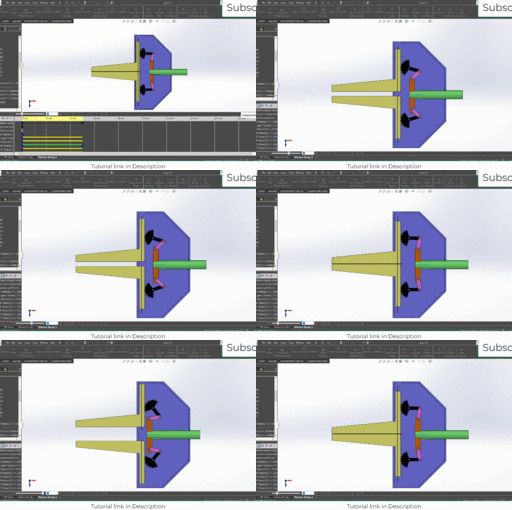
Our facebook Page : https://www.facebook.com/EngineeringExplanation Our website : www.engineerknow.com FREE COURSE LINK SOLIDWORKS BEGINNER TO ADVANCE : https://youtu.be/iYYHmvnlSQo Solidworks animatin and Motion analysis udemy course link : https://www.udemy.com/course/solidworks-animation-and-motion-analysis/?referralCode=8F40E7F83856CFF0C5FE [if you need discount coupon message me on my facebook page] our new Youtube channel : Engineerknow : [ for understanding how the machine works and other engineering things] https://www.youtube.com/channel/UCU5LqyPgX7E8ri4G8ag9xZQ Mechanical Coder : [Coding in Python for mechanical engineers] https://www.youtube.com/channel/UC__7TWjURc7KnChqoQrAYoQ for INDIAN ONLY : https://www.youtube.com/channel/UCDws0ifI1mdQHgJWUSBzrOA
SOLIDWORKS
3dexperience
3d
rendering
education
pinion
rack
mechanism
grip
robot
tutorial
solidworks
knowledge
cad
Kinematic Simulation
Maxime Chagnot
in
Modeling
4
1
Beginner
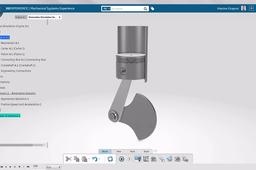
https://youtu.be/2LYuUiNT5x4 Short Tutorial / Demonstration of a animation of a Piston nechanism in CATIA Mechanical Systems Design & Experience application in the 3DExperience platform
CATIA
analysis
piston
system
mechanism
simulation
kinematic
3dexperience
catia
Simplification Surface and Surface Mesh
Maxime Chagnot
in
FEM
4
0
Beginner
https://youtu.be/XQ0Q6M66ToM This tutorial shows you how to transform a multi-patches surface into a clean surface. With the surface simplification functionality, you can merge patches together and obtain a proper surface. Combined with the healing feature, you fill the small gaps and connect all the patches together. To verify if the surface you can offset it to see if it is fully healed. The final step is to open the SIMULIA Structural Model Creation application, to mesh the surface and see why is it useful to clean the surface first.
CATIA
mesh
patches
transformation
design
shape
generative
3dexperience
catia
Game of Throne: Dragon Eggs Design & Render
Maxime Chagnot
in
Modeling
3
0
Beginner
Here is a demonstration of CATIA 3DExperience R19x on Cloud. You will see how to design an Egg and apply a substance material on CATIA live Rendering. In this tutorial, you will use Part and Surface Design, make an Assembly, Duplicate parts an Render the 3D model. Find the free susbtance material on Substance Share: https://source.allegorithmic.com/#/su... Find the models on this GrabCad link: - https://grabcad.com/library/got-drago... - https://grabcad.com/library/got-drago... Please Like, Comments, Share and Subscribe :)
CATIA
allegorithmic
rendering
got
thrones
game
egg
dragon
3dexperience
catia
How to handle Minor & Major Revisions on 3DExperience
Maxime Chagnot
in
Modeling
3
0
Beginner
Hello all! By popular demand, here is a new ENOVIA Video dealing about Minor and Major Revisions in 3DExperience Release 19x. First you will see how to enable the minor revision mode on the Web Dashboard with the Collaborative Spaces Control application. Then you will make an assembly with 2 parts. You will open the parts separately and perform a minor revision on the first part and a major revision on the second part. After that, you will implement the new revision in the assembly using product edition in ENOVIA collaborative lifecycle application. Hope this was helpful :)
CATIA
major
minor
plm
revisions
enovia
3dexperience
catia
[VIDEO] Introduction Weld Design app - CATIA 3DXP R20x
Maxime Chagnot
in
Modeling
3
0
Beginner
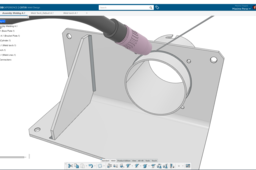
Hello Everyone, This new video will give you an introduction to Weld Design application in CATIA 3DExperience R20x. Before doing the tutorial, you should import the Welding Resources in the platform. Watch this video to do it: https://youtu.be/5oXbP_Ht9Ho In this tutorial, you will learn how to create a Weld Bundles in an assembly and create several Weld Lines between parts. The power of this app is that the Weld lines are fully associative with you design! If you move the part in the assembly, the Weld lines will follow the position and update geometry if changes are made. Find the 3D model on this GrabCad link: https://grabcad.com/library/assembly-welded-1 Please Like, Comment, Share and Subscribe ;) * I am not an expert on Weld Symbol, so I might be wrong on the Drafting scene. I just wanted to show you the capabilities of the software. ** Special thanks to Vegar Kobbevik for helping me doing this video!
CATIA
tuto
lines
bundles
assembly
welding
weld
3dexperience
catia
Transfer Parts between Collaborative Spaces 3DExperience
Maxime Chagnot
in
Other
3
0
Beginner
https://youtu.be/G6gey-hlMzM Here is another ENOVIA Video that shows you how to transfer a parts between different collaborative spaces in the 3DExperience Platform. You will see how we can use the feature transfer ownership in ENOVIA Collaborative Lifecycle Management application. And you will also see how to create and add a standard component to an existing assembly. We will end the video by explaining what is a standard component and how can you differentiate it compare to a simple engineering parts, using the Business Intelligence Essential tool.
lifecylce
product
transfert
spaces
collaborative
3dexperience
enovia
catia
1
2
3
4
5