Learn about the GrabCAD Platform
Get to know GrabCAD as an open software platform for Additive Manufacturing
Visit our new homepage
Home
Control
Shop
Streamline Pro
Partner Program
Print
Community
Inicie sesión
Library
Challenges
Groups
Questions
Tutorials
Engineers
Blog
Inicie sesión
Learn from thousands of free Tutorials.
New user?
Join the community
or
log in.
Tutorials
Most liked all time
Recent
Most liked
Most viewed
Most commented
This week
This month
All time
Category
Design & CAD
Modeling
Drafting
Assemblies
BOM
Dimensioning / Tolerancing
Translations
Manufacturing & CAM
3D Printing
Tooling
NC Machining
Composites
Measurement / Inspection
Simulation & CAE
FEM
CFD
Kinematics
Process Simulation
Engineering Fundamentals
Theory
Process
Standards
Other
Software
Snagit
Alibre Design
ArchiCAD
AutoCAD
AutoCAD Electrical
Autodesk 3ds Max
Autodesk Alias
Autodesk Inventor
Autodesk Maya
Autodesk Revit
Autodesk 123D
BricsCAD
Bentley MicroStation
BlenderCAD
BobCAD-CAM
CATIA
Delmia
DraftSight
FreeCAD
Femap
Fusion 360
Geomagic Design
IronCAD
JT
Kompas-3D
KeyCreator
KeyShot
Lagoa
Luxology
Mastercam
Moi3D
NX Unigraphics
OBJ
Onshape
OpenSCAD
Parasolid
Powermill
Powershape
Pro/Engineer Wildfire
PTC Creo Parametric
PTC Creo Elements
Rhino
SpaceClaim
SOLIDWORKS
solidThinking Evolve
Solid Edge
SolidFace
STEP / IGES
SketchUp
STL
TopSolid
TinkerCAD
T-Flex CAD
TurboCAD
VectorWorks
ViaCAD 3D
VRML / WRL
ZW3D
GrabCAD Print
Rendering
GrabCAD Community
GrabCAD Workbench
Text file
3D Manufacturing Format
Cinema 4D
Other
Skill level
All levels
Beginner
Intermediate
Expert
product
×
Cross & Dot Product Validated in 3D CAD
Kelly Harward
in
Theory
39
12
Beginner
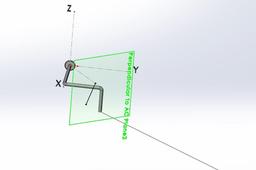
Steps in Validating M = r X F and Maxis = U ●{r X F} using 3D CAD (SolidWorks) Using problem 3-43 and 3-44 from Hibbeler Statics & Mechanics of Materials 5th Edition.
statics
mechanics
vector
moments
dot
product
cross
Solidworks Tutorial #140 Sketch Mouse in Solidworks (Advanced Surfacing) by Solidworks Easy Design
Praveen Kumar
in
Modeling
27
5
Expert
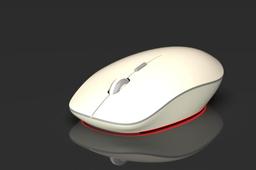
In this Tutorial use the unique trick in surface and with Project Cure commend very use full i hope u like this tutorial and learn and watch..................If u like this Mouse Tutorial please Like button hit,............ thank you
SOLIDWORKS
mechanical
product
light
rendering
modeling
design
mouse
solidworks
How to Make Domino Animation in Solidworks with Rendering
Ibrahim Omer
in
Modeling
11
1
Beginner
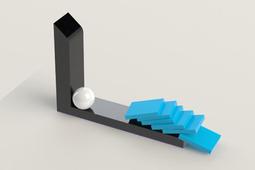
In this tutorial we'll learn how to make domino animation in Solidworks with rendering. It is a good exercise of motion study and it will be a good practice for beginners. Here, we'll learn these commands and features: 1) Basic 2D commands 2) Extruded Boss 3) Revolved Boss 4) Fillet 5) Copy with Mates 6) Assembly 7) Appearance 8) Animation 9) Rendering #domino_motion #Product_Design #CADable Domino Animation Files: https://grabcad.com/library/domino-an... Please Subscribe our Channel for more Videos and Projects in Solidworks. Please Like and Share Our Videos. Thanks for Watching.
SOLIDWORKS
design
product
cadable
keyshot
rendering
modeling
3d
solidworks
study
motion
animation
domino
Inventor 2020 | Radial Aircraft Engine | Full Model | Vol. 1
CAD Pond
in
Modeling
9
0
Beginner
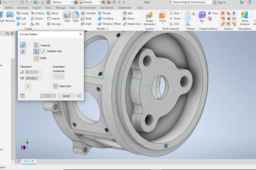
Radial Aircraft Engine. Inspired by Wolfgang (https://grabcad.com/library/7-cylinder-radial-engine-3) Practice modeling with Inventor. This is the first part modeling of a radial aircraft engine. Below is a link to download blueprint and dimensions used. https://d2t1xqejof9utc.cloudfront.net/screenshots/pics/69a18aa68fe9c295fb81cb22de572ae0/original.jpg Happy Modeling!
Autodesk Inventor
ansys
design
product
2020
inventor
aviation
boeing
aircraft
Transform a Product to a Part CATIA 3DExperience
Maxime Chagnot
in
Modeling
6
1
Beginner
https://youtu.be/jFvcoBDpU8s Dear 3DExperience and CATIA Fans, A lot of my customers asked me "how can we transform a product to a part like in CATIA V5?" and the answer → Derived Representation feature in CATIA Assembly Design. In the video you can see how to transform a small assembly to a part and make a cut. You can keep the links with original parts and change parameters. Do no hesitate to add comments or send me message about new topics for instance! Please subscribe and check our website: http://www.plm-technology.com/ Use Captions and Enjoy :)
CATIA
drawing
cut
representation
derived
assembly
part
product
3dexperience
Dice Modelling using Fusion 360.
prashant kumar
in
Modeling
6
0
Beginner
Dice design using Autodesk Fusion 360 , ready for 3D printing. Step wise instructions for beginners of Fusion 360. Enjoy and Keep learning :) Let me know if you have any queries or question.
Fusion 360
design
industrial
desing
product
dice
designing
print
modelling
3d
autodesk
360
fusion
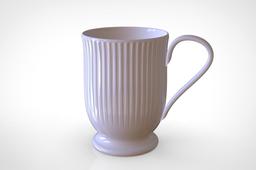
Making a MUG by Solidworks
My CAD
in
Modeling
5
0
Beginner
take your own dimenstion and follow the step given in photo
SOLIDWORKS
design
product
modeling
household
solidworks
mug
cup
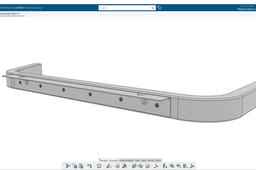
Structure Design | SOLIDWORKS 2020 | Piping in SOLIDWORKS | Standard Library in SOLIDWORKS
Avinash Dharampuriya
in
Design & CAD
5
0
Expert
Learn how to create a frame structure for the New product development series, Gasoline Structure Design. 3D Printing and Modelling Workshop
SOLIDWORKS
components
smart
use
metal
sheet
drawing
manufacturing
part
plastic
2021
industrial
2020
solidworks
design
product
How to Model a Park Bench in Solidworks & Render in Keyshot
Ibrahim Omer
in
Modeling
5
0
Beginner
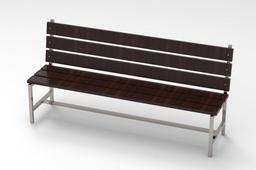
In this tutorial, we'll learn how to make a park bench using some very basic commands. It is a basic exercise for beginners and it will be a good practice for beginners. Here, we'll learn these commands and features: 1) Basic 2D commands 2) Extruded Boss 3) Reference plane 4) Mirror 5) Hole Wizard 6) Assembly 7) Smart Fastener 8) Material 9) Rendering In the previous tutorial of door hinge, i have promised to use keyshot in the next tutorial so here it is. I have divided this tutorial into two parts. In the first part we will model the bench in Solidworks with its assembly and in the 2nd part we will apply material and render the bench in Keyshot. Kindly use play pause technique for practice. I have attached files in the description for practice. Feel free to ask your queries in comment section. I will try to answer each and every question Insha Allah. Keep practicing as practice makes a man perfect. #bench #solidworks #keyshot Park Bench Files: https://grabcad.com/library/park-benc... Please Subscribe our Channel for more Videos and Projects in Solidworks. Please Like and Share Our Videos. Thanks for Watching. Follow our Channel: https://www.youtube.com/c/CADable
SOLIDWORKS
rendering
model
3d
industrial
design
product
keyshot
solidworks
bench
park
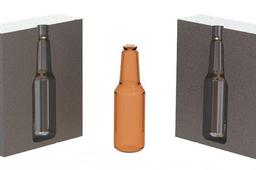
How to design a Blow Mould of a bottle in Solidworks with animation and rendering #blow_moulding
Ibrahim Omer
in
Assemblies
5
0
Beginner
This is the basic tutorial of how to design a blow mould of a bottle. I have divided the tutorial in five parts. In this tutorial we'll learn these features: 1) Bottle Modeling 2) Mould Design 3) Mould Assembly 4) Mould Animation 5) Realistic Rendering First part of the tutorial consists of 3d modeling of a bottle, where we first create a sketch and then use revolved boss command for bottle modeling. Here we'll use some commands like fillet and shell. Later we apply appearance on it and render it. Second part consists of mould designing of the bottle. Here we are using Combine tool to do so. Moulds can be designed in many ways for example core, indent, combine etc. After making molds, we'll create a cavity on the top of the mould for flow of material providing a draft of 3 degrees. In Mould making, we'll use features like extruded boss, mirror, combine, move, save body. It is a useful tool for saving bodies (solid bodies) separately. Third part of the tutorial consists of Assembly of the mould. Here we use some basic mates coincident and concentric. After completing the assembly part, next we'll create animation of blow mould. We'll first explode the assembly and then set time for the animation. Last part consists of rendering of the assembly. We'll apply appearance to the assembly separately and then render it. Rendering usually takes time depending upon the speed of your machine so please be patient while rendering. Please Subscribe our Channel for more Videos and Projects in Solidworks. Please Like and Share Our Videos. Thanks for Watching.
SOLIDWORKS
engineer
design
product
keyshot
rendering
cad
modeling
3d
solidworks
mould
blow
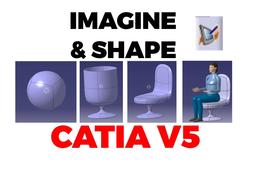
Imagine & Shape - Cup to Chair - Product Design
3D Comparison
in
Modeling
4
0
Intermediate
The initial design (the cup) is created starting for a sphere. After that the cup is transformed into a Chair. Having the desired Chair shape, the model is scaled and a human mannequin is added to the product list to ensure that the scaling was done proportionally.
CATIA
transform
scale
design
product
shape
imagine
catia
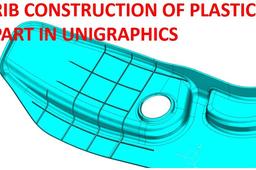
RIB CONSTURCTION IN PLASTIC PARTS
suresh kumar
in
Modeling
4
3
Beginner
https://www.youtube.com/watch?v=Pv7QTBuobag Rib design in plastic Part by using Unigraphics
NX Unigraphics
modling
injection
plastics
design
product
plastic
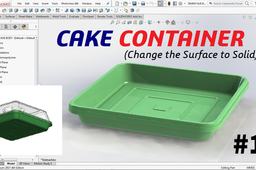
CAKE CONTAINER - #1
langgeng wahyu hidayat
in
Modeling
3
1
Beginner
Change the Surface to Solid for the cake container. The steps are: 1. Create a surface sweep for the lip and base position. 2. Connecting lip and base with the lofted surface. 3. Create a planar surface on base. 4. Create a profile surface. 5. Trim surface. 6. Knit surface for all surfaces. 7. Thicken surface for change to solid. Have a nice day
SOLIDWORKS
product
plastic
assembly
thicken
surface
container
cake
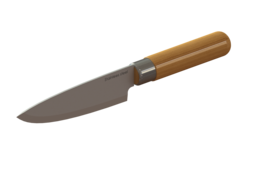
SOLIDWORKS - DESIGN KITCHEN KNIFE IN SOLIDWORKS
Resa Ant
in
Modeling
3
3
Intermediate
Free Solidworks video tutorial step by steps. How to design kitchen knife in solidworks. Please like, subscribe and share this channel https://www.youtube.com/c/DesainCAD/videos Thanks for watching :)
SOLIDWORKS
design
product
tutorial
solidworks
knife
kitchen
Transfer Parts between Collaborative Spaces 3DExperience
Maxime Chagnot
in
Other
3
0
Beginner
https://youtu.be/G6gey-hlMzM Here is another ENOVIA Video that shows you how to transfer a parts between different collaborative spaces in the 3DExperience Platform. You will see how we can use the feature transfer ownership in ENOVIA Collaborative Lifecycle Management application. And you will also see how to create and add a standard component to an existing assembly. We will end the video by explaining what is a standard component and how can you differentiate it compare to a simple engineering parts, using the Business Intelligence Essential tool.
lifecylce
product
transfert
spaces
collaborative
3dexperience
enovia
catia
1
2
3
…
6