Ask and answer questions and download tutorials

Thousands of tutorials to learn from

Feed

Tutorial how to make engine part 10

By Aykut Dana on 24 Feb 21:42 17 answers 15179 views 18 comments

How to make engine - part 10 -

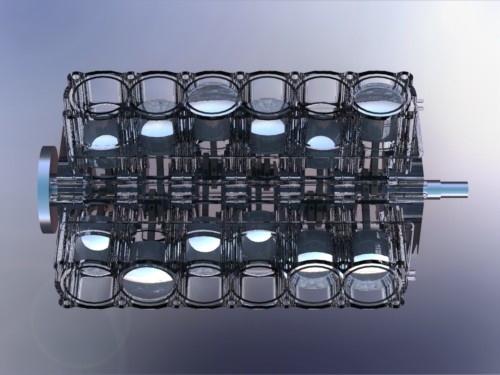
Cylinders

(please let me know if you have a problem while generating the engine parts)

part 1: http://grabcad.com/questions/tutorial-how-to-make-engine-part-1
part 2: http://grabcad.com/questions/tutorial-how-to-make-engine-part-2--1
part 3: http://grabcad.com/questions/tutorial-how-to-make-engine-part-3
part 4: http://grabcad.com/questions/tutorial-how-to-make-engine-part-4
part 5: http://grabcad.com/questions/tutorial-how-to-make-engine-part-5
part 6: http://grabcad.com/questions/tutorial-how-to-make-engine-part-6
part 7: http://grabcad.com/questions/tutorial-how-to-make-engine-part-7
part 8: http://grabcad.com/questions/tutorial-how-to-make-engine-part-8
part 9: http://grabcad.com/questions/tutorial-how-to-make-engine-part-9
part 10: http://grabcad.com/questions/tutorial-how-to-make-engine-part-10
part 11: http://grabcad.com/questions/tutorial-how-to-make-engine-part-11
part 12: http://grabcad.com/questions/tutorial-how-to-make-engine-part-12
part 13: http://grabcad.com/questions/tutorial-how-to-make-engine-part-13
part 14: http://grabcad.com/questions/tutorial-how-to-make-engine-part-14
part 15: http://grabcad.com/questions/tutorial-how-to-make-engine-part-15
part 16: http://grabcad.com/questions/tutorial-how-to-make-engine-part-16
part 17: http://grabcad.com/questions/tutorial-how-to-make-engine-part-17
part 18: http://grabcad.com/questions/tutorial-how-to-make-engine-part-18
part 19: http://grabcad.com/questions/tutorial-how-to-make-engine-part-19
part 20: http://grabcad.com/questions/tutorial-how-to-make-engine-part-20
part 21: http://grabcad.com/questions/tutorial-how-to-make-engine-part-21
part 22: http://grabcad.com/questions/tutorial-how-to-make-engine-part-22
part 23: http://grabcad.com/questions/tutorial-how-to-make-engine-part-23
part 24: http://grabcad.com/questions/tutorial-how-to-make-engine-part-24
part 25: http://grabcad.com/questions/tutorial-how-to-make-engine-part-25
part 26: http://grabcad.com/questions/tutorial-how-to-make-engine-part-26
Added images

Square

17 answers

  • Aykut Dana
    Aykut Dana about 1 year ago

    more detailed tutorial -- suite

    1. Step 1

      use extrude command

      Medium

    2. Step 2

      select shown areas

      Medium

    3. Step 3

      change the direction with using this button

      Medium

    4. Step 4

      use offset option

      Medium

    5. Step 5

      change the offset direction and enter shown value

      Medium

    6. Step 6

      finally enter this value and confirm that

      Medium

    7. Step 7

      body is ready

      Medium

    8. Step 8

      open a sketch on this surface

      Medium

    9. Step 9

      draw two concentric circles

      Medium

    10. Step 10

      use cut extrude command like shown.

      Medium

    11. Step 11

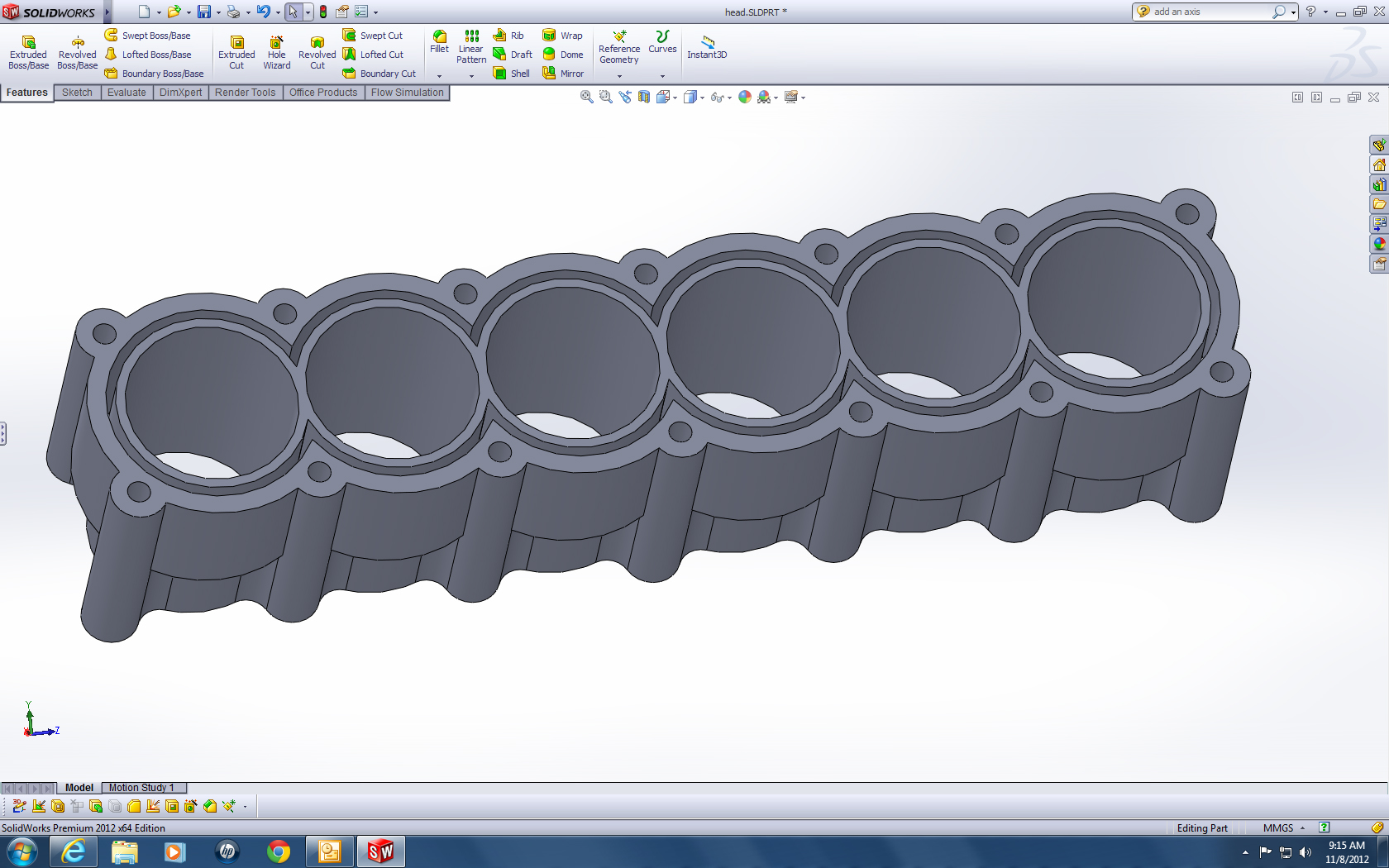
      your body should be like this

      Medium

    12. Step 12

      now open a sketch on this surface

      Medium

    13. Step 13

      draw a concentric circle

      Medium

    14. Step 14

      normal to selected plane

      Medium

    15. Step 15

      draw a big circle

      Medium

    16. Step 16

      now we will use this circle option. please click on it

      Medium

    17. Step 17

      firstly click on this circle

      Medium

    18. Step 18

      secondly clik on this circle and complate your perimeter circle. If you can not, please try again. you will see it is not too hard

      Medium

    19. Step 19

      enter the shown dimension

      Medium

    20. Step 20

      draw a centerline

      Medium

    21. Step 21

      use trim command

      Medium

    22. Step 22

      use mirror command and select shown sketch

      Medium

    23. Step 23

      then select the centerline and confirm that

      Medium

    24. Step 24

      use trim command again

      Medium

    25. Step 25

      draw a centerline .

      Medium

    26. Step 26

      use mirror command and select the sketch

      Medium

    27. Step 27

      select the centerline that we created just now

      Medium

    28. Step 28

      draw one more centerline

      Medium

    29. Step 29

      use mirror command again. select the shown lines

      Medium

    30. Step 30

      select the shown centerline and confirm that

      Medium

    31. Step 31

      now use convert entities command and select the shown edges

      Medium

    32. Step 32

      select the other hole edges and confirm that. sketch finished.

      Medium

    33. Step 33

      extrude it by 60mm

      Medium

    34. Step 34

      use linear pattern command and enter shown values

      Medium

    35. Step 35

      open a sketch on the right plane and draw an axis for linear pattern direction

      Medium

    36. Step 36

      click on solid bodies and select all bodies

      Medium

    37. Step 37

      right click and select combine option

      Medium

    38. Step 38

      confirm that

      Medium

    39. Step 39

      open a sketc on the shown surface

      Medium

    40. Step 40

      draw three circles

      Medium

    41. Step 41

      draw a horizontal axis

      Medium

    42. Step 42

      use linear pattern command

      Medium

    43. Step 43

      use trim command for shown edges

      Medium

    44. Step 44

      your sketch have to be like this

      Medium

    45. Step 45

      make same things for the others

      Medium

    46. Step 46

      select all the inside of the cylinders

      Medium

    47. Step 47

      then select this area

      Medium

    48. Step 48

      cut the body by 70 mm

      Medium

  • Aykut Dana
    Aykut Dana about 1 year ago

    cylinders

    1. Step 1

      open a sketch on right plane and draw a axis for new plane

      Medium

    2. Step 2

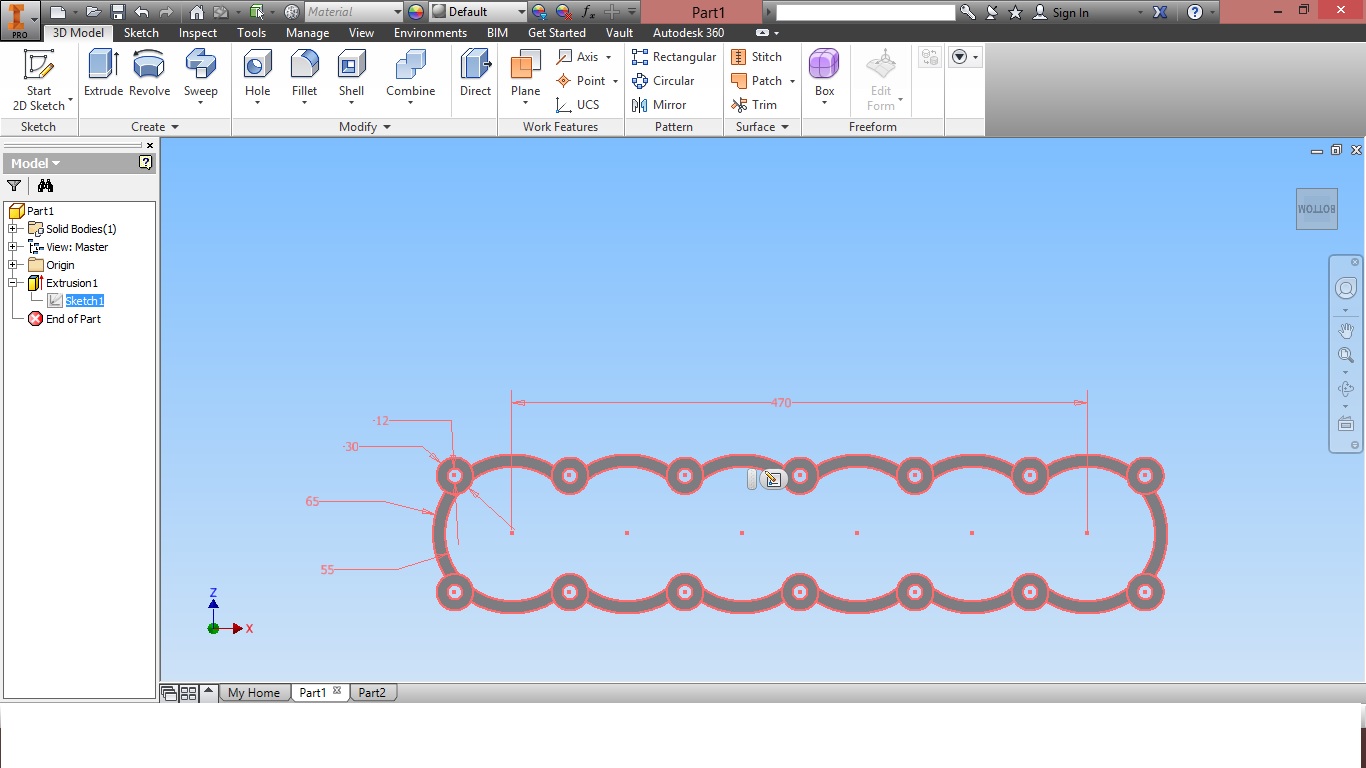
      create a plane that have to be 35 degree between new plane and right plane. then open a sketch and draw 4 circles

      Medium

    3. Step 3

      draw two circles like shown

      Medium

    4. Step 4

      use mirror command two times

      Medium

    5. Step 5

      finally make your sketch like this

      Medium

    6. Step 6

      use extrude commad

      Medium

    7. Step 7

      open a sketc under the body and draw two circles. smaller circles radius is 50mm. other one have to be bigger then body. then use cut extrude command and enter volues

      Medium

    8. Step 8

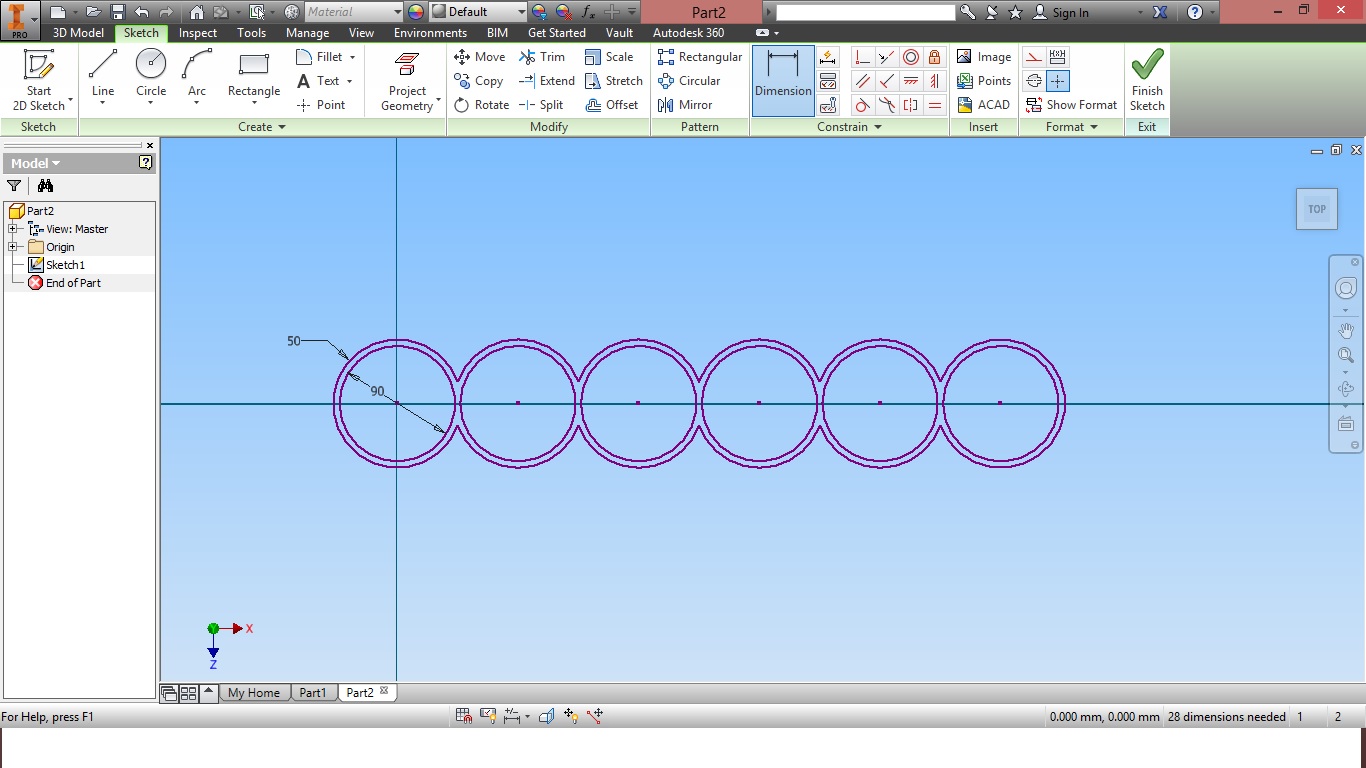
      open a sketch on cutted surface and draw circles like this

      Medium

    9. Step 9

      make your sketch like this

      Medium

    10. Step 10

      use extrude command

      Medium

    11. Step 11

      use linear pattern command. you must to decide that how many cylinder you want. I prefered to make 12 cylinder.

      Medium

    12. Step 12

      now we will cut the surplus portions. please check the photo and try to draw a sketch on the body like this. you should use linear pattern command

      Medium

    13. Step 13

      use the command and cut the body 70mm. That's all for now. please follow the tutorial step by step. if you have a problem with the tutorials please let me know

      Medium

  • Aykut Dana
    Aykut Dana about 1 year ago

    cylinders

    more detailed tutorial

    1. Step 1

      open a sketch on the right plane

      Medium

    2. Step 2

      draw a centerline

      Medium

    3. Step 3

      use features--referance geometry--plane command

      Medium

    4. Step 4

      select the line and the right plane

      Medium

    5. Step 5

      then enter shown value

      Medium

    6. Step 6

      open a sketch on the plane that we created just now

      Medium

    7. Step 7

      draw a circle

      Medium

    8. Step 8

      draw two more circles

      Medium

    9. Step 9

      draw one more circle

      Medium

    10. Step 10

      draw a circle like shown

      Medium

    11. Step 11

      draw a circle again. it should be concentric with the circle that we created just now

      Medium

    12. Step 12

      now we will use trim command. sketch--trim command

      Medium

    13. Step 13

      before trim this lines

      Medium

    14. Step 14

      after trim these lines

      Medium

    15. Step 15

      finally trim these lines and confirm the command

      Medium

    16. Step 16

      draw a centerline. we will use it for mirror command

      Medium

    17. Step 17

      now we will use mirror command. use sketch--mirror commad. then select shown sections

      Medium

    18. Step 18

      click on this box

      Medium

    19. Step 19

      select the centerline

      Medium

    20. Step 20

      confirm that. now we will use trim command again

      Medium

    21. Step 21

      trim these lines

      Medium

    22. Step 22

      confirm that. then draw a centerline again. it will uses for mirror

      Medium

    23. Step 23

      open mirror command and select shown sections

      Medium

    24. Step 24

      click on shown box, select the mirror axis and confirm that

      Medium

    25. Step 25

      use trim command and make your sketch like shown

      Medium

    26. Step 26

      now we will use fillet command

      Medium

    27. Step 27

      enter shown radius parameter by 15mm, then only click on shown points

      Medium

    28. Step 28

      confirm that and your sketch should be like this

      Medium

    29. Step 29

      make same thing for the other points

      Medium

    30. Step 30

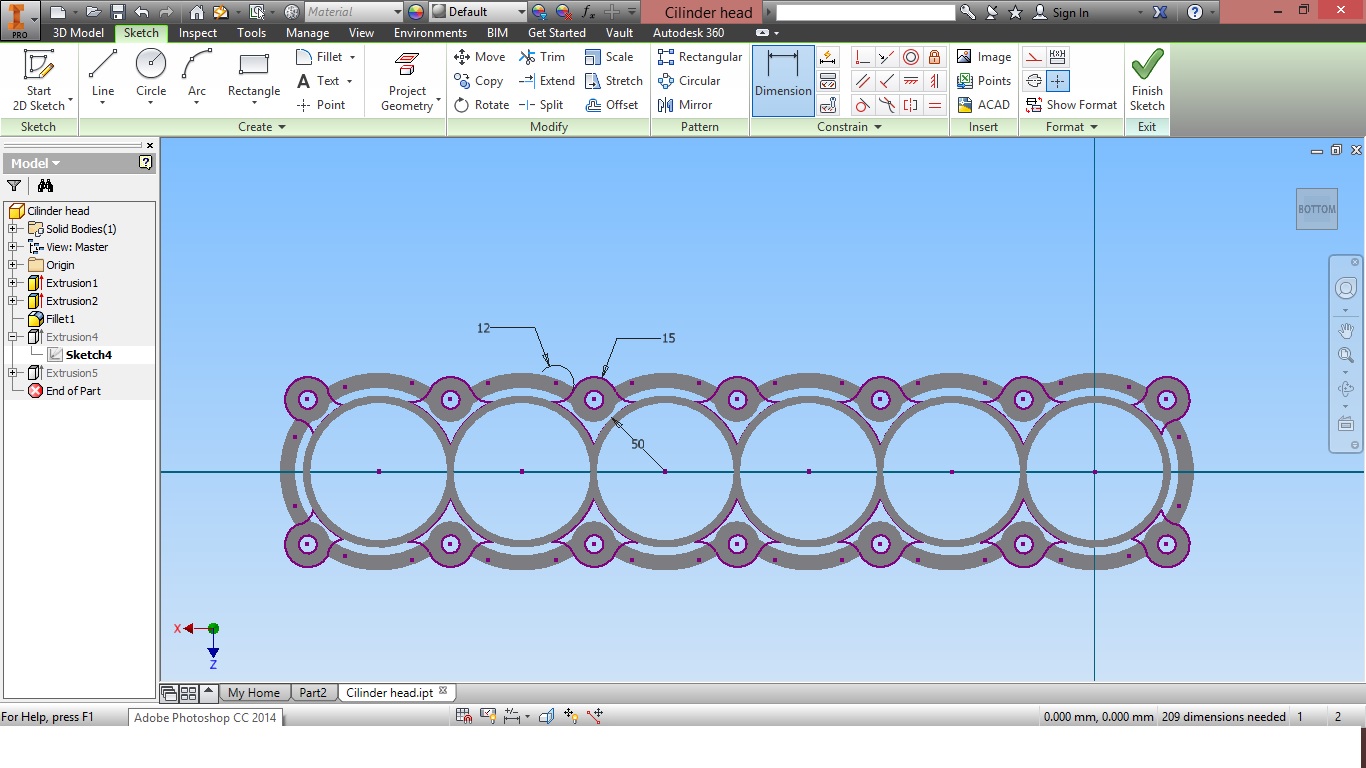
      sketch finished. please check it

      Medium

    31. Step 31

      now we will extrude this sketch. open extrude command

      Medium

  • Alireza SKH
    Alireza SKH about 1 year ago

    great tutorials Aykut.Thx my friend

  • hcortez
    hcortez 7 months ago

    This one has me stumped right from the get go.. 35 degree what??? Ive also looked all the way through this tutorial and still havent figured out where you even use the planes!!

  • nahu
    nahu about 1 year ago

    Its nice and you did good work, helpfull!

  • MANOJ GORI
    MANOJ GORI 12 months ago

    Can any one suggest me the actual value of the Offset for Step 6

    Thanks &Regards

    Manoj ..........

  • puneet jain
    puneet jain 8 months ago

    is it possible to have a solidworks 2009 part file for this model it would be really helpful to understand this tutorial better

  • hcortez
    hcortez 7 months ago

    Got it done, nice work with the tutorial, especially going into more depth with it!!

    Added images

    Square
  • ugur
    ugur 6 months ago

    sağol birader....

  • Zia Ur Rehman
    Zia Ur Rehman 6 months ago

    what will b the four views after doing all steps.... plz someone upload them i need them.

  • SHAHIRA HAMEED
    SHAHIRA HAMEED 6 months ago

    is it possible if you can upload steps to draw turbo charger. I am having a difficulty drawing to draw the bearing housing.

  • Paola Gonzalez
    Paola Gonzalez 5 months ago

    when I get to step 34 -pattern- I do not get the cut of the original. The rest come full solid. Any Help

  • Pedro Sola
    Pedro Sola 10 days ago

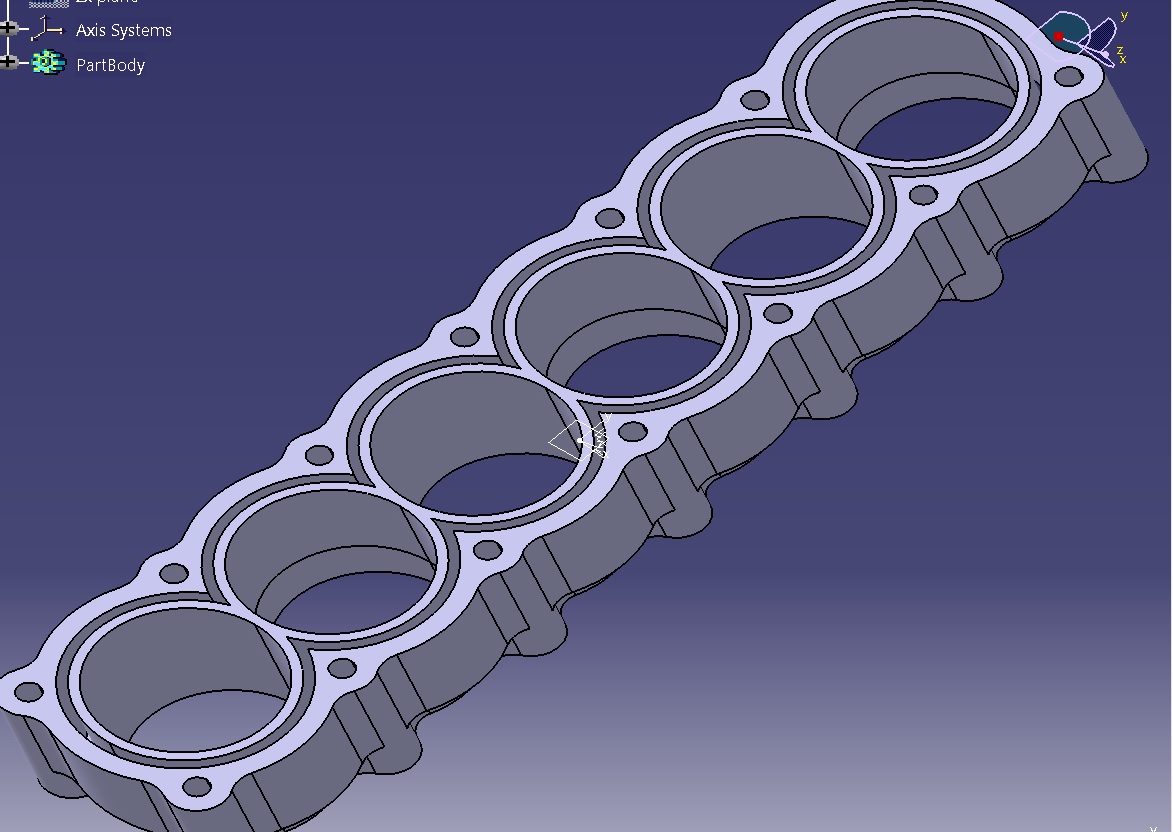
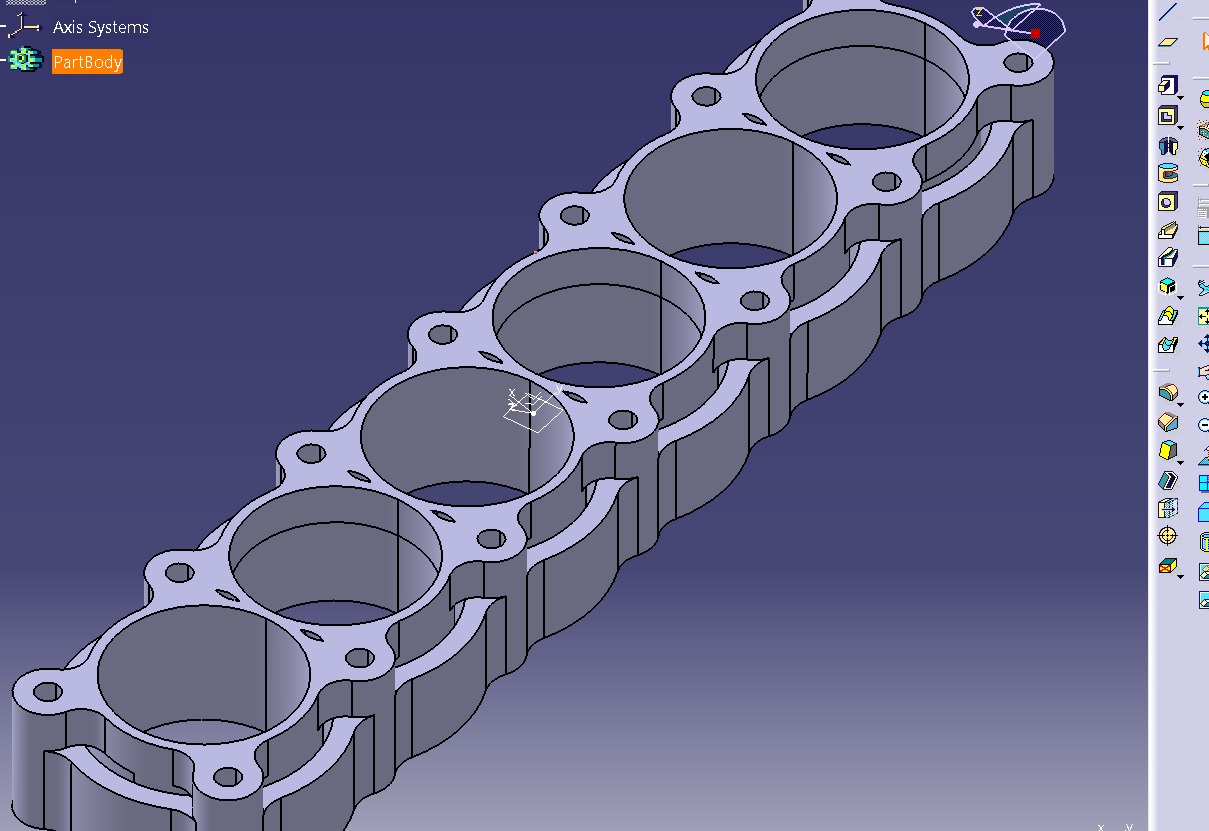
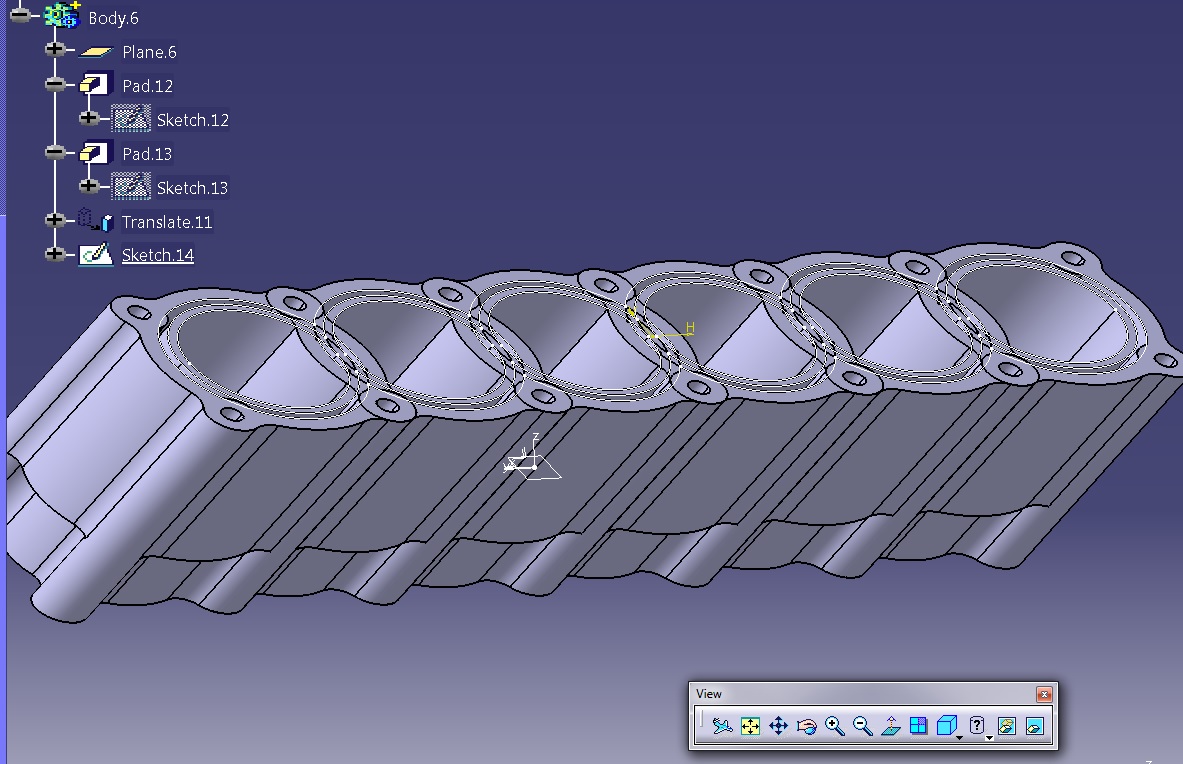
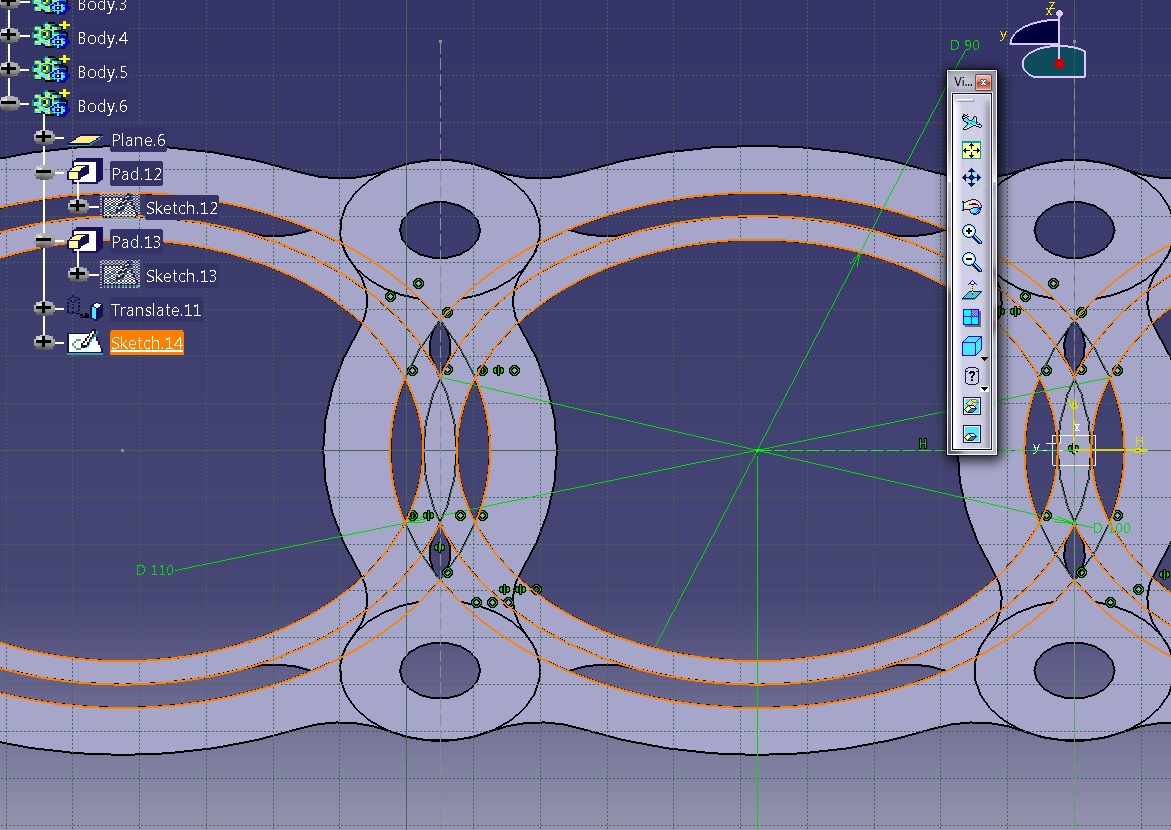
    Hi everyone! First of all, I deeply appreacite this tutorial, it is difficult to find something as well explained as here is.

    I am doing this tutorial with Catia V5, I attach the pictures of my cylinders cause I m not sure about the result from below view
    Added images

    Square Square Square Square

Add your answer to: "Tutorial how to make engine part 10"

Save Cancel