

Tutorial how to make engine part 22

How to make V12 engine - part 22 -
part 1: http://grabcad.com/questions/tutorial-how-to-make-engine-part-1
part 2: http://grabcad.com/questions/tutorial-how-to-make-engine-part-2--1
part 3: http://grabcad.com/questions/tutorial-how-to-make-engine-part-3
part 4: http://grabcad.com/questions/tutorial-how-to-make-engine-part-4
part 5: http://grabcad.com/questions/tutorial-how-to-make-engine-part-5
part 6: http://grabcad.com/questions/tutorial-how-to-make-engine-part-6
part 7: http://grabcad.com/questions/tutorial-how-to-make-engine-part-7
part 8: http://grabcad.com/questions/tutorial-how-to-make-engine-part-8
part 9: http://grabcad.com/questions/tutorial-how-to-make-engine-part-9
part 10: http://grabcad.com/questions/tutorial-how-to-make-engine-part-10
part 11: http://grabcad.com/questions/tutorial-how-to-make-engine-part-11
part 12: http://grabcad.com/questions/tutorial-how-to-make-engine-part-12
part 13: http://grabcad.com/questions/tutorial-how-to-make-engine-part-13
part 14: http://grabcad.com/questions/tutorial-how-to-make-engine-part-14
part 15: http://grabcad.com/questions/tutorial-how-to-make-engine-part-15
part 16: http://grabcad.com/questions/tutorial-how-to-make-engine-part-16
part 17: http://grabcad.com/questions/tutorial-how-to-make-engine-part-17
part 18: http://grabcad.com/questions/tutorial-how-to-make-engine-part-18
part 19: http://grabcad.com/questions/tutorial-how-to-make-engine-part-19
part 20: http://grabcad.com/questions/tutorial-how-to-make-engine-part-20
part 21: http://grabcad.com/questions/tutorial-how-to-make-engine-part-21
part 22: http://grabcad.com/questions/tutorial-how-to-make-engine-part-22
part 23: http://grabcad.com/questions/tutorial-how-to-make-engine-part-23
part 24: http://grabcad.com/questions/tutorial-how-to-make-engine-part-24
part 25: http://grabcad.com/questions/tutorial-how-to-make-engine-part-25
part 26: http://grabcad.com/questions/tutorial-how-to-make-engine-part-26
12 Answers
Assembly 2
Answered with a tutorial: https://grabcad.com/tutorials/tutorial-how-to-make-engine-part-22

I tried to find a way to copy mates. I didn't.

isn't u think as u joint your connecting road as per it cylinderhead is also pettern 45 degree + 17 mm increment in crankshaft axies direction.....
u can see this photograph & clear about it....
waiting for your reply....................

Can someone help me? Part 21 of this tutorial has been removed. Does anyone know where I can find it?

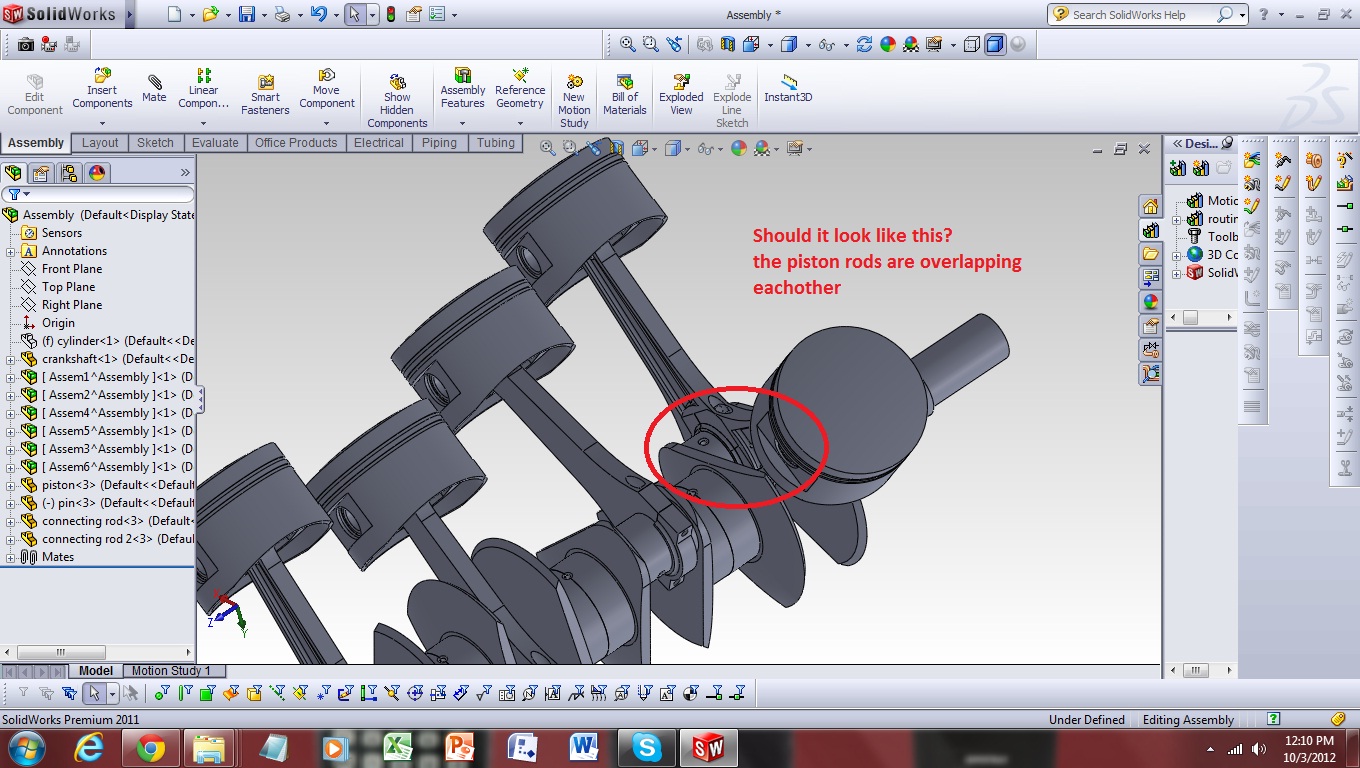
I'm doing the assembly of piston rods. In this image I hid the cylinder so I can illustrate the piston rods' position. Am I doing it right? I'm just confused because the piston rods overlap eachother
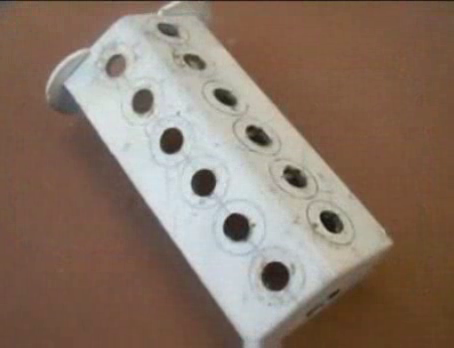
Can you check if there is something wrong with the crankcase? thanks

Brylle,
Check to make sure your piston holes dont line up exactly to each other, there should be difference between the two, then your connecting rods will align correctly. Hope this helps..

Brylle I believe that you missed one action in tutorial number twelve that is step 5.

An alternative to inserting and mating 12 separate pistons and connectors would be to make a piston assembly and then insert the piston assembly into the main assembly. That way there is less mating to do in the main assembly. Be sure to make the piston assembly flexible upon insertion.
where i can get 2d drawings for this projects????
here is the assembly
Here is a video sorry for my poor skill haha

